
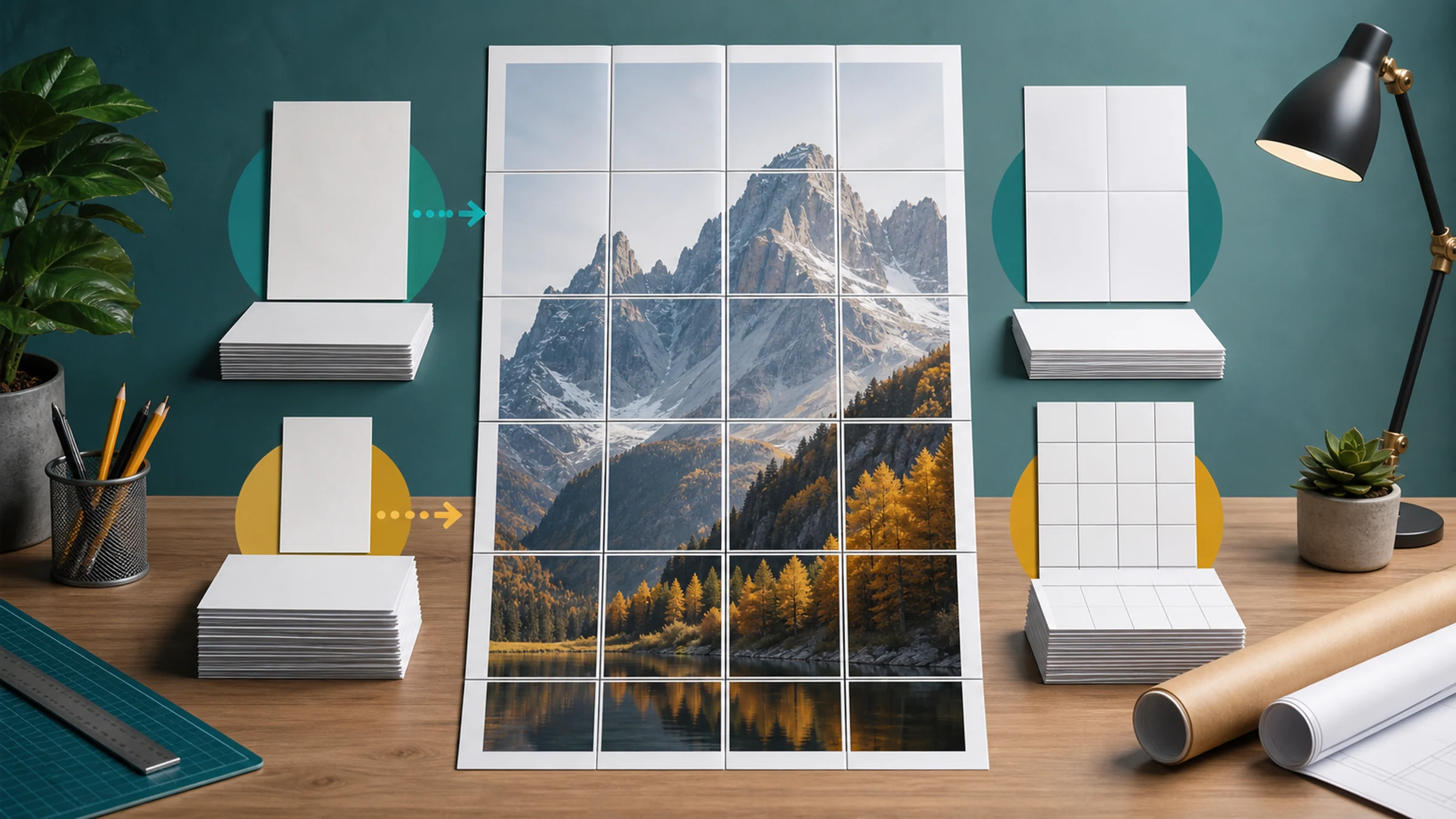
A 60x90 cm poster is a practical wall size: large enough to read from across a room, but still possible to print at home if you split it across normal sheets.
For a 60x90 cm poster, the usual sheet count is:
| Paper size | Sheet dimensions | Grid layout | Total sheets | Practical note |
|---|---|---|---|---|
| A4 | 21 x 29.7 cm | 3 x 4 | 12 | Common home and office paper |
| A3 | 29.7 x 42 cm | 3 x 3 | 9 | Fewer cuts and fewer joins |
| Letter | 21.6 x 27.9 cm | 3 x 4 | 12 | Standard in the U.S. and Canada |
Bottom line: A3 uses the fewest pages. A4 and Letter both need 12 sheets for this poster size.
Rasterbator.pics prepares tiled poster PDFs locally in your browser, so your image is handled on your device while you choose the final size and paper layout.
Home printers leave white borders
Most home and office printers cannot print all the way to the paper edge. They usually leave a 3-5 mm unprintable white border around each sheet.
That border does not usually change the sheet count for a 60x90 cm poster, but it does affect assembly:
Some white edges need trimming.
Neighboring sheets need careful alignment.
A small overlap makes joins easier.
The PDF must be printed at Actual Size or 100%.
Treat the sheet count as the planning number, then allow extra time for trimming and joining.
How the sheet count is calculated
This guide assumes a portrait poster: 60 cm wide and 90 cm tall.
The basic calculation is:
Divide the poster width by the paper width.
Divide the poster height by the paper height.
Round each result up to the next whole sheet.
Multiply sheets across by sheets down.
These estimates use the full physical paper dimensions. In a real tiled PDF, overlap, crop marks, and printer margins can slightly change the visible assembled area, but the practical page count remains the same for normal home printing.
A4 paper: 12 sheets
A4 paper measures 21 x 29.7 cm.
For a 60x90 cm poster:
Width: 60 cm / 21 cm = 2.86, so round up to 3 sheets.
Height: 90 cm / 29.7 cm = 3.03, so round up to 4 sheets.
That gives:
3 x 4 = 12 A4 sheets
A4 is the easiest option in many countries because the paper is cheap and widely available. The tradeoff is assembly time: 12 sheets means more seams to trim and align.
A3 paper: 9 sheets
A3 paper measures 29.7 x 42 cm.
For a 60x90 cm poster:
Width: 60 cm / 29.7 cm = 2.02, so round up to 3 sheets.
Height: 90 cm / 42 cm = 2.14, so round up to 3 sheets.
That gives:
3 x 3 = 9 A3 sheets
A3 is usually the most convenient layout if your printer supports it. You print fewer pages, trim fewer edges, and have fewer joins across the finished poster.
Letter paper: 12 sheets
Letter paper measures 21.6 x 27.9 cm.
For a 60x90 cm poster:
Width: 60 cm / 21.6 cm = 2.77, so round up to 3 sheets.
Height: 90 cm / 27.9 cm = 3.23, so round up to 4 sheets.
That gives:
3 x 4 = 12 Letter sheets
Letter is the practical choice for many home printers in the United States and Canada. The page count matches A4, but the slightly shorter page height can make trimming and overlap feel a little different.
A4, A3, and Letter compared
Choose the paper size based on the printer you actually have.
Use A4 if:
Your printer only supports standard office paper.
You already have A4 sheets at home or school.
You are comfortable assembling 12 pages.
You want the lowest-cost test print.
Use A3 if:
Your printer supports larger sheets.
You want fewer cuts and fewer seams.
The poster needs to look cleaner up close.
You are printing a display that will stay up for a while.
Use Letter if:
Your printer is loaded with 8.5 x 11 inch paper.
You are printing in the U.S. or Canada.
You want the simplest local paper choice.
Print at Actual Size or 100%
After the tiled PDF is generated, print it without extra scaling.
Use one of these settings:
Actual Size
100%
No scaling
Avoid:
Fit to Page
Shrink to Printable Area
Scale to Fit
Fill entire paper
Scaling is the most common reason tiled posters do not line up. If a PDF page is printed at 96%, every tile becomes slightly smaller, and the assembled poster will not measure 60x90 cm.
Print one test tile first if the final size matters.
Trimming and assembly tips
You will need:
Printed sheets
Ruler
Craft knife, scissors, or paper trimmer
Cutting mat or spare cardboard
Glue stick
Tape for the back side
Large table or clean floor
Lay out all pages before cutting. Check that the rows and columns are in order, then trim only the edges required for clean joins.
For easy assembly:
Keep the first sheet in a row as your anchor.
Trim the joining edge of the next sheet.
Overlap by about 2-3 mm, or follow the overlap guides in your PDF.
Attach with glue stick or tape from the back.
Finish each row before joining rows together.
Avoid glossy tape on the front. It catches light and makes seams more visible. Back-side tape is stronger and cleaner.
Checklist before you hit Print
The poster size is set to 60x90 cm.
The paper size matches the sheets loaded in your printer.
You know the expected count: 12 A4, 9 A3, or 12 Letter sheets.
The tiled PDF preview shows the correct number of rows and columns.
Scale is set to Actual Size, 100%, or No scaling.
Fit, Shrink, Fill, and Scale to Fit are off.
One test page has been printed if exact size matters.
You expect a 3-5 mm unprintable border on most home printers.
You have trimming tools, glue stick, and back-side tape ready.
All pages are sorted before assembly.
Acrobat Reader Poster mode can also work
Adobe Acrobat Reader has a Poster feature that can split a large PDF page across multiple sheets. If you already have a 60x90 cm PDF, set Tile Scale to 100% and check the preview before printing.
For image-based posters, Rasterbator.pics is often simpler because you choose the image, poster size, paper, overlap, crop marks, and PDF export in one browser workflow.
The rule is the same either way: create the tiled layout first, then print the finished pages without extra scaling.
FAQ
How many A4 sheets do I need for a 60x90 cm poster?
You need 12 A4 sheets: 3 sheets across by 4 sheets down, before trimming and overlap adjustments.
Is A3 better than A4 for a 60x90 cm poster?
A3 is usually easier if your printer supports it because the same poster needs 9 A3 sheets instead of 12 A4 sheets.
Why did my poster print smaller than 60x90 cm?
The print dialog probably used Fit, Shrink, or Scale to printable area. Print the tiled PDF at Actual Size, 100%, or No scaling.
Try Rasterbator.pics
Use Rasterbator.pics to test the article advice with your own image, page size, overlap, margins, and tiled PDF export.
Try Rasterbator.pics